Find the Sales Needed to Cover Costs
- Break-even Units and Sales
- Contribution Margin per Unit
- Target Profit Planning
- Fixed and Variable Cost Breakup
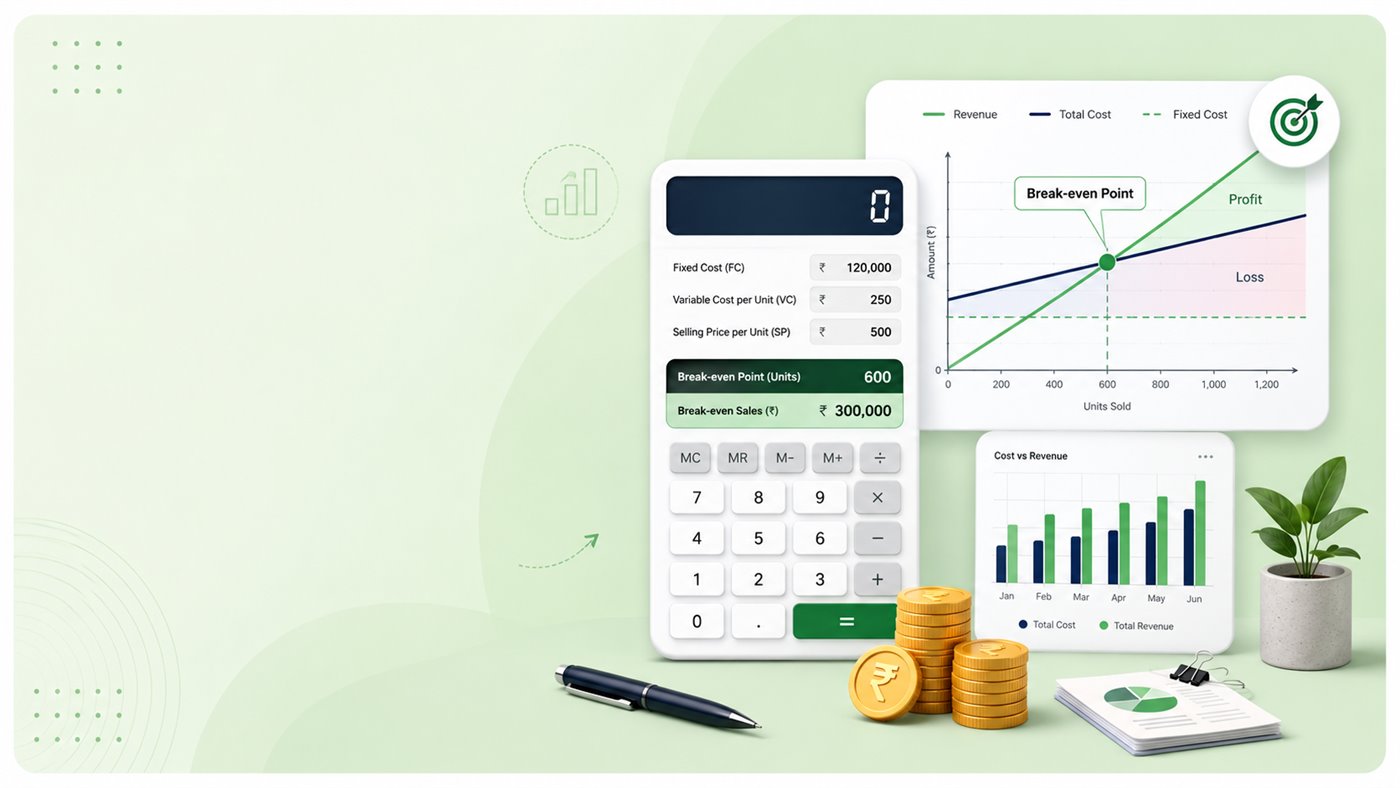
1. What is Break-even Calculator?
A Break-even Calculator is a business planning tool that helps you estimate the sales level where your revenue covers your fixed costs and variable costs. At the break-even point, profit is zero before taxes and other real-world adjustments.
Once you know your break-even units, you can decide whether the required sales volume is practical for your product, shop, service, or campaign.
2. Why Use a Break-even Calculator?
Break-even analysis is useful before launching a product, changing price, accepting a large order, or setting a monthly sales target. It connects cost, price, and expected sales in one simple view.
- Estimate minimum units needed to cover costs
- Calculate break-even sales revenue
- Understand contribution margin per unit
- Plan target profit units and sales
- Check estimated profit or loss for expected sales units
3. How to Use Ganak Mitra Break-even Calculator
- Open the Break-even Calculator page on Ganak Mitra.
- Enter your fixed costs for the selected period, such as rent, salaries, subscriptions, utilities, and other overheads.
- Enter variable cost per unit, such as material, packing, delivery, commission, or fee per unit.
- Enter selling price per unit.
- Optionally enter target profit and expected sales units.
- Click Calculate Break-even to see break-even units, break-even sales, contribution margin, target sales, and expected profit or loss.
4. Break-even Calculator Formula
The main formula used for break-even analysis is:
Break-even units = Fixed costs / (Selling price per unit - Variable cost per unit)
The amount inside brackets is called contribution margin per unit. It shows how much each sold unit contributes toward fixed costs and profit after variable cost is covered.
Break-even sales are calculated as Break-even units x Selling price per unit.
5. Break-even Calculator Example
Suppose a business has fixed costs of Rs. 1,00,000 per month. The selling price is Rs. 500 per unit and variable cost is Rs. 300 per unit.
Contribution margin per unit is Rs. 500 - Rs. 300 = Rs. 200. Break-even units are Rs. 1,00,000 / Rs. 200 = 500 units. Break-even sales are 500 x Rs. 500 = Rs. 2,50,000.
This means the business must sell around 500 units in that month to cover costs before profit starts.
6. Fixed Cost, Variable Cost and Contribution Margin
Fixed costs are costs that usually remain the same for the selected period, even if sales change. Examples include rent, salary, software subscriptions, and basic utilities.
Variable costs increase with each unit sold. Examples include material, packing, delivery charges, commissions, payment fees, and direct service cost.
Contribution margin is the amount left from each sale after variable cost per unit. This contribution first covers fixed costs. After fixed costs are covered, the same contribution helps create profit.
7. How Target Profit Units Are Calculated
Break-even tells you the point where profit is zero. If you want a specific profit amount, add target profit to fixed costs and divide by contribution margin per unit.
Target profit units = (Fixed costs + Target profit) / Contribution margin per unit
For example, if fixed costs are Rs. 1,00,000, target profit is Rs. 50,000, and contribution margin is Rs. 200 per unit, then target profit units are 750 units.
8. When Should You Use Break-even Analysis?
Break-even calculation is helpful whenever price, cost, or sales volume can affect business decisions.
- Before launching a new product or service
- Before changing selling price
- Before accepting bulk orders or discounts
- Before renting a shop, office, or production space
- Before setting monthly or quarterly sales targets
- Before comparing two pricing options
9. Common Mistakes to Avoid
Break-even results are useful only when the inputs are realistic. Keep the same time period for all values and avoid mixing monthly and yearly data.
- Do not enter yearly fixed costs with monthly expected sales units.
- Do not ignore packing, delivery, payment gateway fees, or commission if they apply per unit.
- Do not treat break-even as final profit. Profit starts only after break-even units are sold.
- Do not ignore taxes, GST, discounts, refunds, returns, wastage, or bad debt.
- Review your inputs when selling price is close to variable cost, because contribution becomes very small.
10. Final Note
Use Ganak Mitra Break-even Calculator as a quick planning tool before you quote a price, launch a product, or set a sales target. It keeps the calculation transparent so you can see how fixed cost, variable cost, selling price, and target profit work together.
The result is an indicative estimate before GST, tax, discounts, returns, payment fees, wastage, and other business adjustments.
Use Break-even Calculator NowRelated Calculators
Continue planning with these Ganak Mitra business and pricing tools:
- Break-even Calculator - calculate break-even units, sales, and target profit units.
- Profit Margin Calculator - calculate profit margin, markup, revenue, and gross profit or loss.
- Business & Pricing Calculators - browse business calculators in one place.
Related Calculator Guides
Read more Ganak Mitra calculator guides:
- How to Use Lumpsum Calculator - estimate future value and gains from a one-time investment.
- How to Use FD Calculator - understand maturity amount, interest earned, and compounding.
- How to Use RD Calculator - understand recurring deposit maturity and interest earned.
Frequently Asked Questions (FAQ)
Q1. What is a Break-even Calculator?
A Break-even Calculator estimates how many units or how much sales revenue you need to cover fixed and variable costs before profit starts.
Q2. What is the break-even formula?
Break-even units are calculated as fixed costs divided by contribution margin per unit. Contribution margin per unit is selling price per unit minus variable cost per unit.
Q3. Can I calculate target profit units?
Yes. Add target profit to fixed costs and divide the total by contribution margin per unit to estimate the units needed for the target profit.
Q4. Does Break-even Calculator include GST or tax?
No. It is a planning calculator before GST, income tax, discounts, returns, platform fees, and other adjustments.